
A-B loop any YouTube video.
Save every section worth repeating.
Break it down. Loop it. Own it.
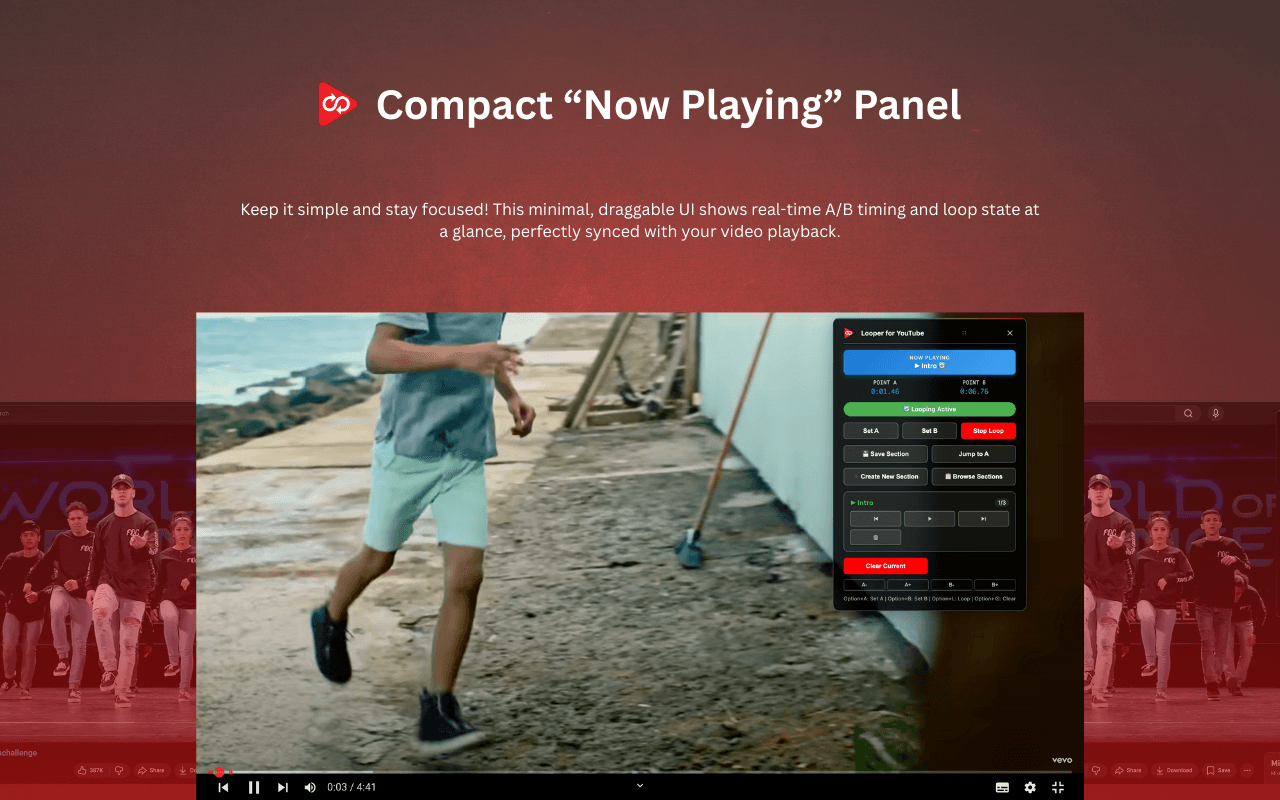
Set point A. Set point B. The video loops between them — exactly, to the millisecond. Save unlimited sections per video and jump back to them with one click. Built for musicians, language learners, dancers and students.
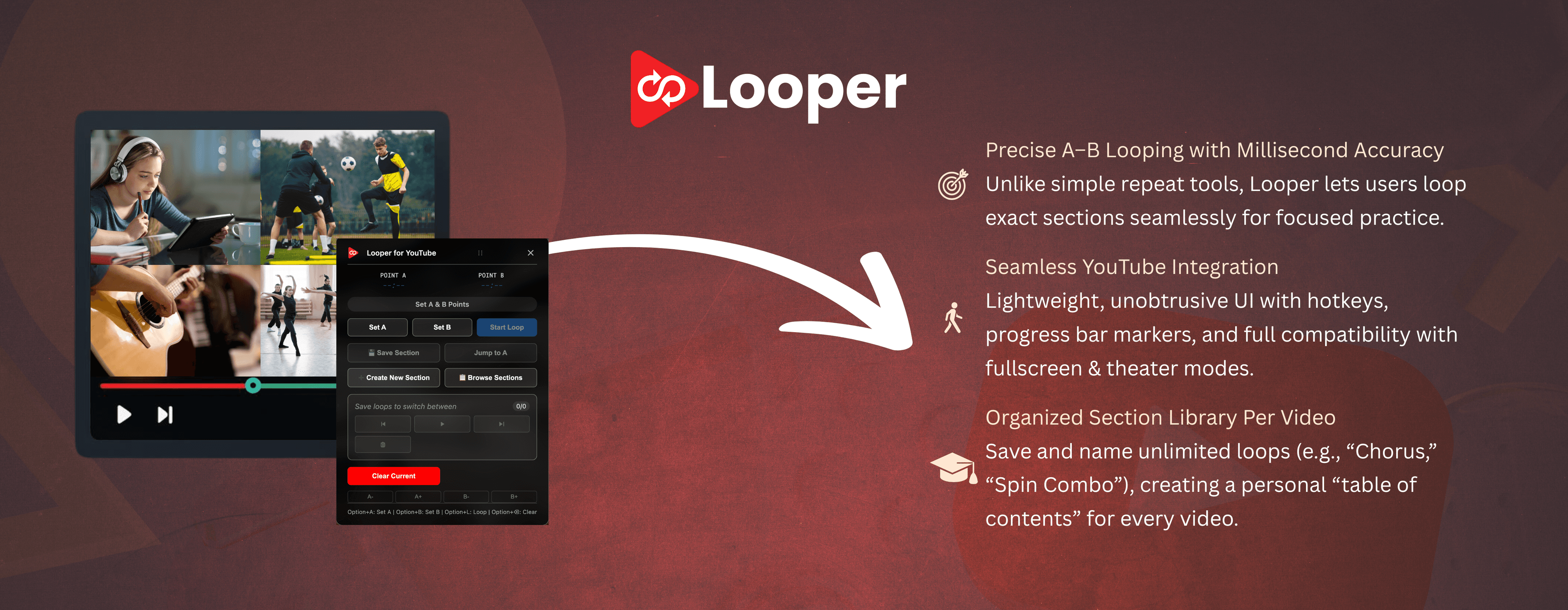
Built for repetition. Tuned for precision.
Most YouTube loop extensions only repeat the entire video. Looper for YouTube was built from the ground up around partial-segment loops with named, savable sections — the way practitioners actually use it.
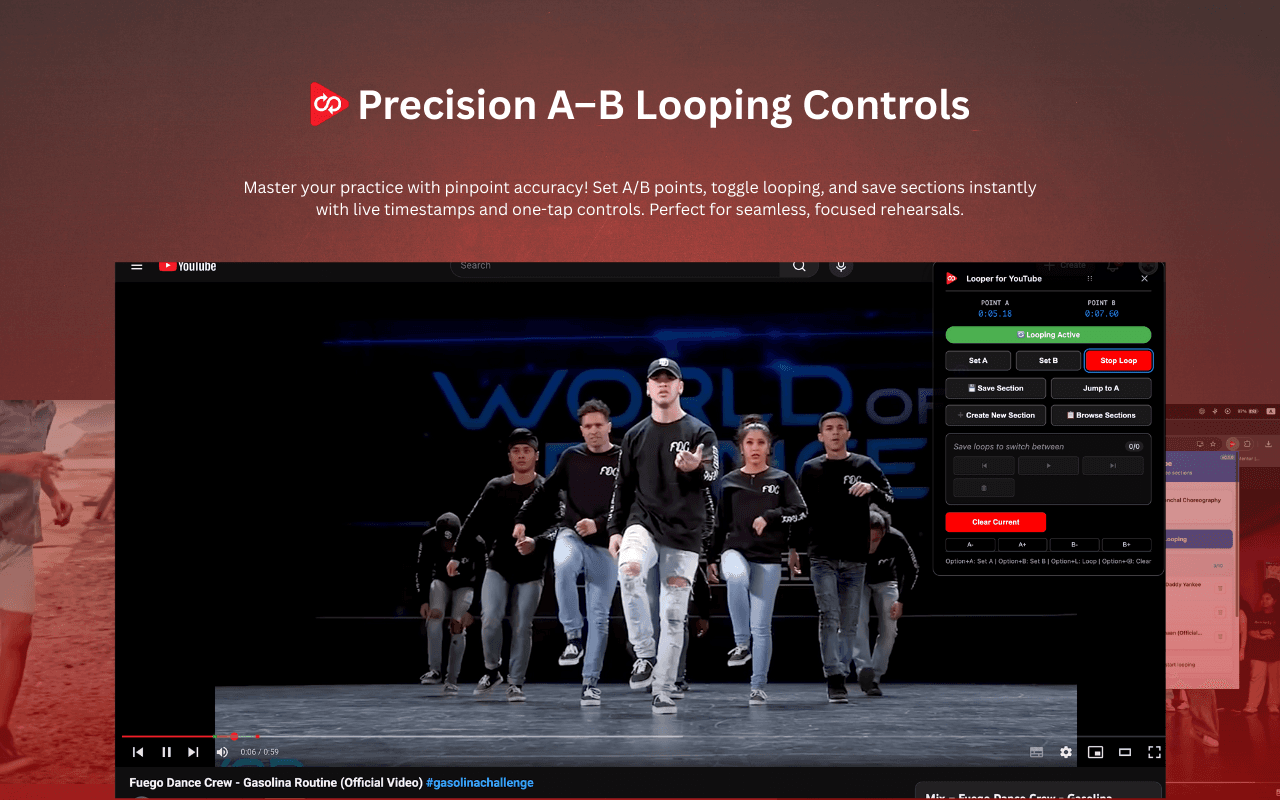
Precision A-B loop
Pick a start point and an end point with millisecond accuracy. The segment between them loops seamlessly.
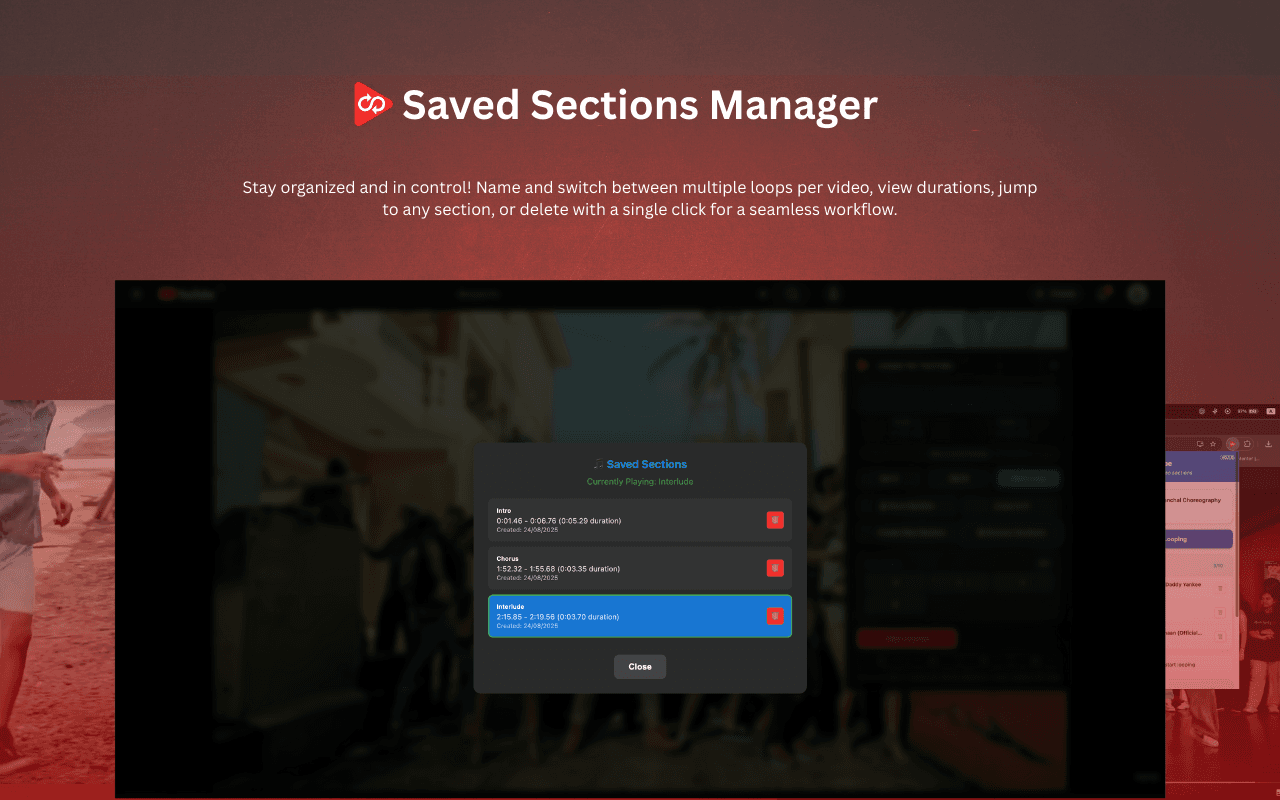
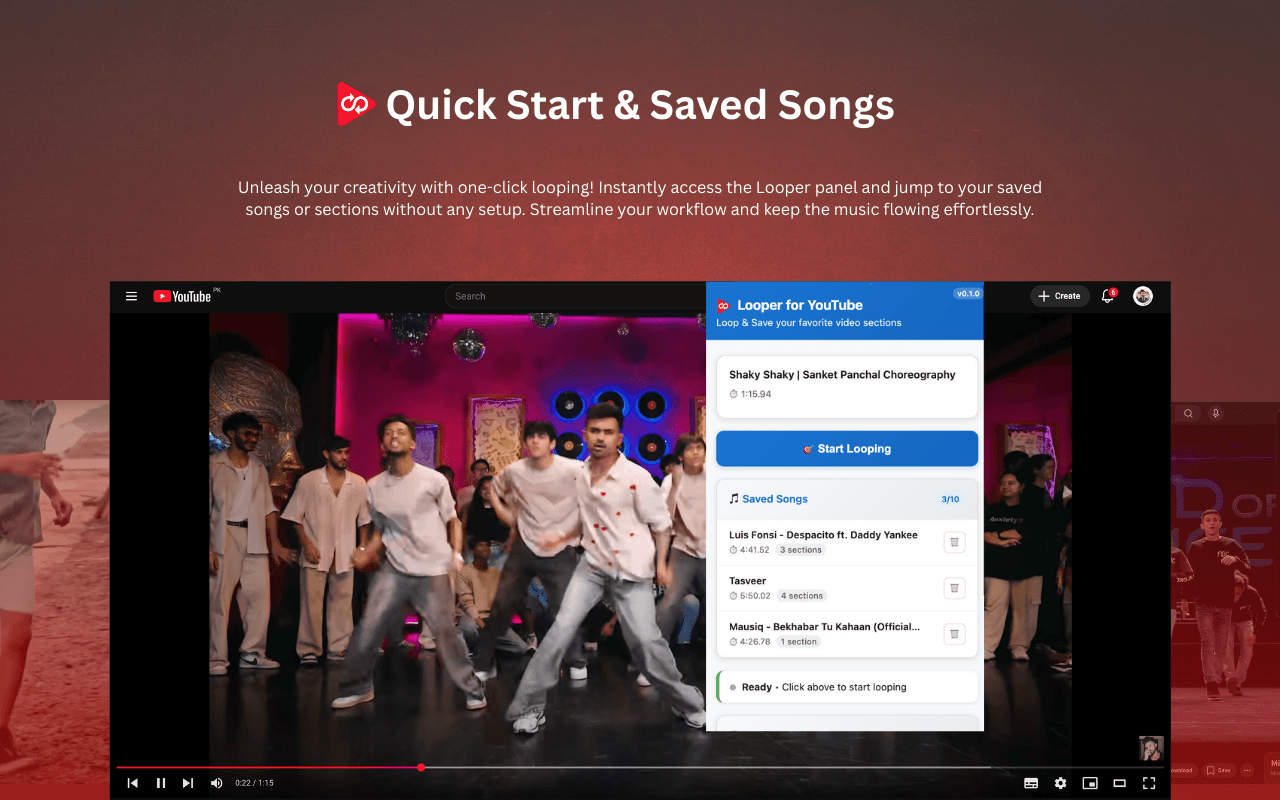
Save unlimited sections
Name your loops — "Solo 1", "Bridge", "Sentence 4" — and jump back with a click. Sections survive reload, restart and device changes.
Visual progress markers
A and B markers appear right on YouTube's progress bar, plus a highlighted loop range. You always see where you are.
Keyboard-first controls
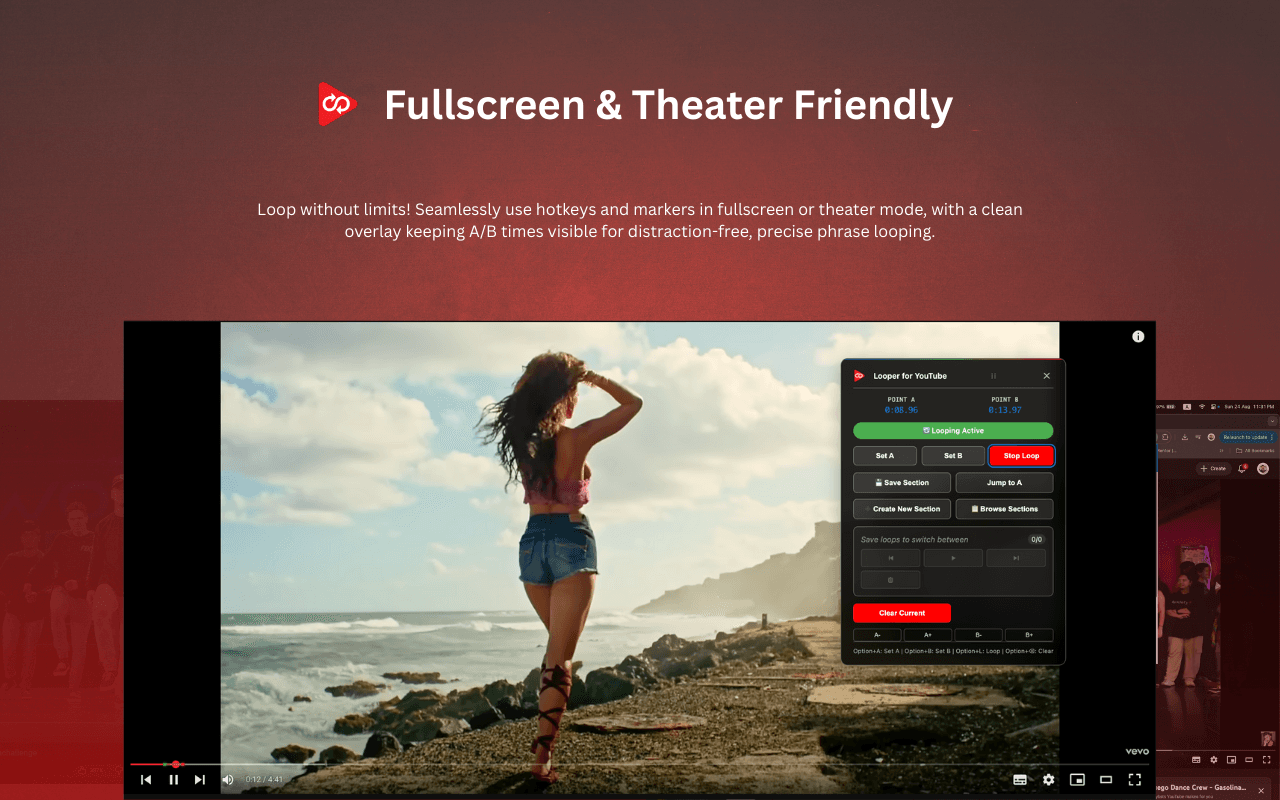
Alt+A, Alt+B, Alt+L, Alt+C. Set, loop, clear without lifting your hands off the keyboard. Fully customizable.
YouTube Music support
Same loop tools, same saved sections, on music.youtube.com — for music practice without ad-blocking.
Privacy by default
No analytics, no telemetry, no external network calls. The extension only requests the "storage" permission so your sections persist.
See it in action
Five things Looper does that the “repeat” option in YouTube's right-click menu can't — captured straight from the extension.
Who Looper is for
If your craft involves “play that bit again — slower this time”, you are the target user.
Musicians
Loop a four-bar guitar solo, drum fill or piano passage. Slow it down. Repeat until your fingers know it.
Language learners
Drill pronunciation on a single sentence, shadow native dialogue, train your ear on tricky phrases.
Dancers
Break choreography into 8-counts. Loop the section you keep dropping. Save each formation by name.
Students
Re-watch the part of a lecture or tutorial that didn't click. Save the moment for tomorrow's review.
Athletes & coaches
Break down a tennis serve, free-throw form, yoga sequence. Compare yours to the example.
Editors & transcribers
Loop a clip while you transcribe. Find the exact second of an interview you want to cite.
Loop without touching the mouse
Default keyboard shortcuts. Re-bind any of them at chrome://extensions/shortcuts.
Frequently asked questions
If your question isn't here, email the developer through the support page.
Is it really free?
Yes. There is no paid tier, no trial, no card. The full feature set is available to every user.
What does the extension collect?
Nothing. There is no analytics, no telemetry, no external network call. Your saved loop sections are stored in Chrome's local and sync storage on your own device. Uninstalling the extension removes them.
Does it work on YouTube Music?
Yes. The same A-B loop and saved-section tools work on both youtube.com and music.youtube.com.
Will my saved sections sync between computers?
Yes. Sections are stored in Chrome's sync storage, so they follow your Google account across Chrome installs (assuming Chrome sync is enabled).
Does it work on YouTube Shorts or live streams?
The extension targets the standard on-demand YouTube player. Shorts and live streams are not officially supported because their players and timelines behave differently.
The loop drifts by a fraction of a second. What do I do?
Focus the looper widget and use the arrow keys to nudge B back slightly. YouTube's HTML5 video has a small seek tolerance, especially on long videos.
The shortcuts aren't firing.
Make sure you've granted shortcut permission at chrome://extensions/shortcuts, and that the YouTube tab is the active one. Chrome only routes extension shortcuts to the focused tab.
How do I uninstall?
Right-click the Looper icon in the Chrome toolbar and choose 'Remove from Chrome'. All locally stored sections are removed with it.
Ready to stop scrubbing?
Add Looper for YouTube to Chrome. It's free, takes 5 seconds, and you can remove it just as fast.
Add to Chrome — Free